



JSN Time provides 6 major color variations for your taste. Each color variation covers not only the main background, but also color of drop-down menu, links, table’s header and some others.
Color variations
Click on any screenshot to LIVE demo of that color variation. (reset to default)
{imageshow sl=4 sc=11 h=300 /}
Interactive images presentation by JSN ImageShow extension
Color configuration
Each template color can be configured by 3 different ways:
By template parameter
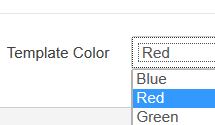
Template color can be set by template parameter Template Color in administration panel.
By «Page Class Suffix»
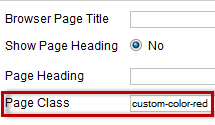
Template color can be defined in parameter Page Class Suffix of menu items as custom-color-xxx.
By Site tools panel
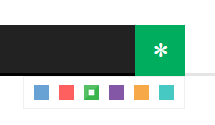
Template color can be selected by website visitor from Color Selector in Site tools.